Your whole financial life, on one timeline.

See the future with a tool to track and plan your financial life.
All your accounts on a single timeline - reflecting your entire net worth
at every point in time, past, present and future.
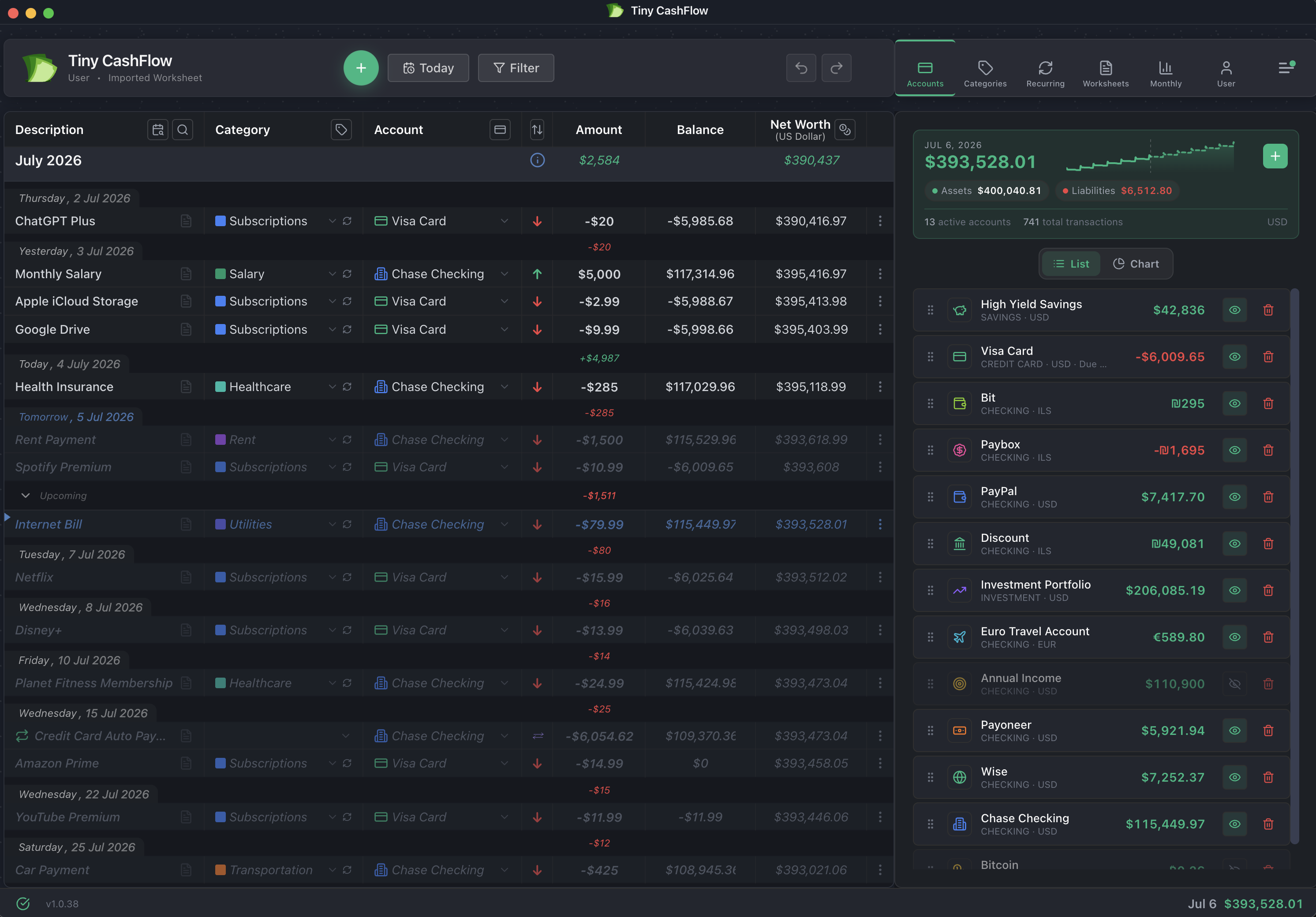
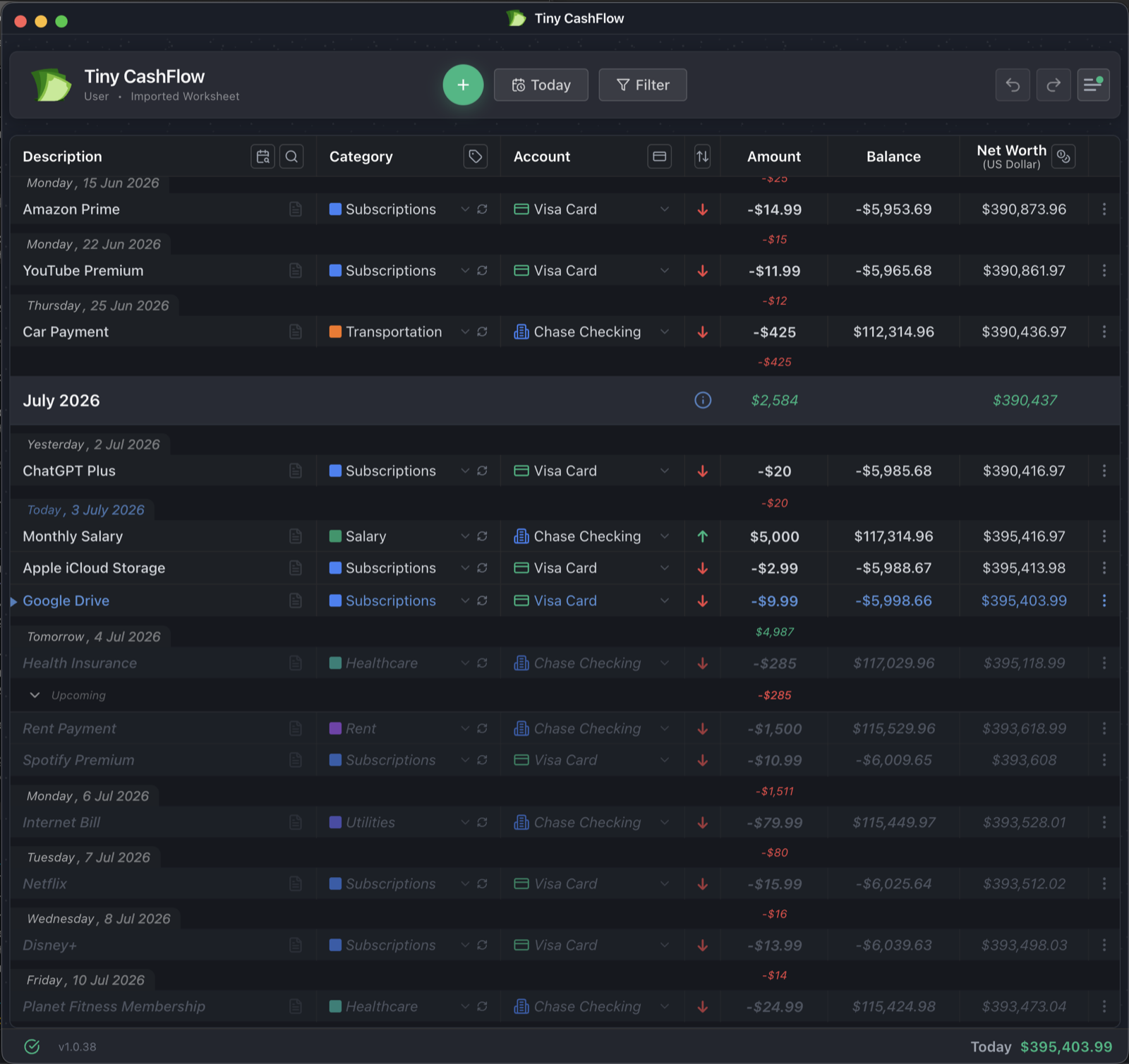
TinyCashflow timeline with projected balances alongside the accounts panel TinyCashflow timeline showing today and projected future transactions
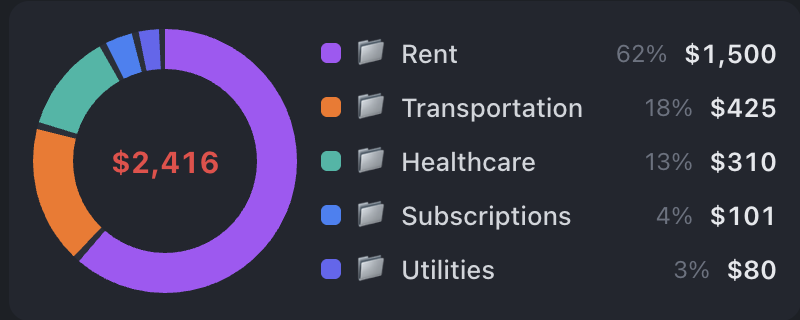
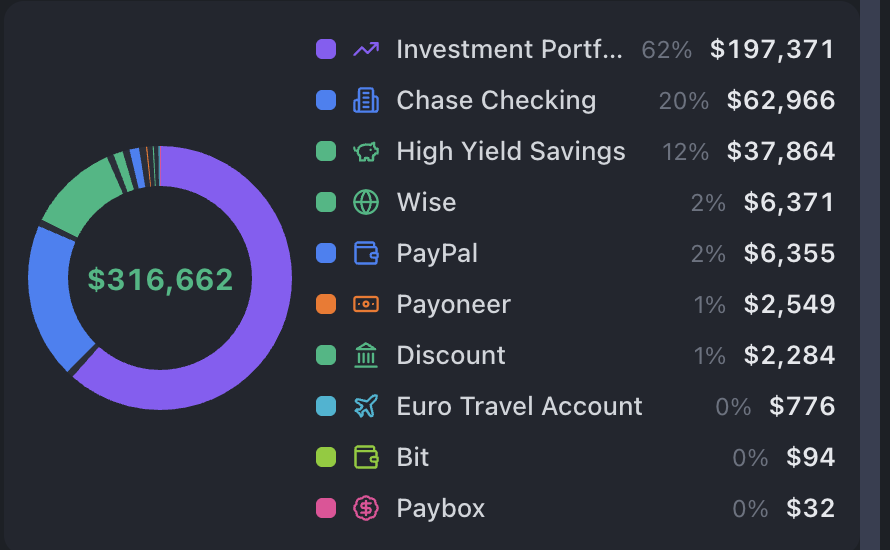
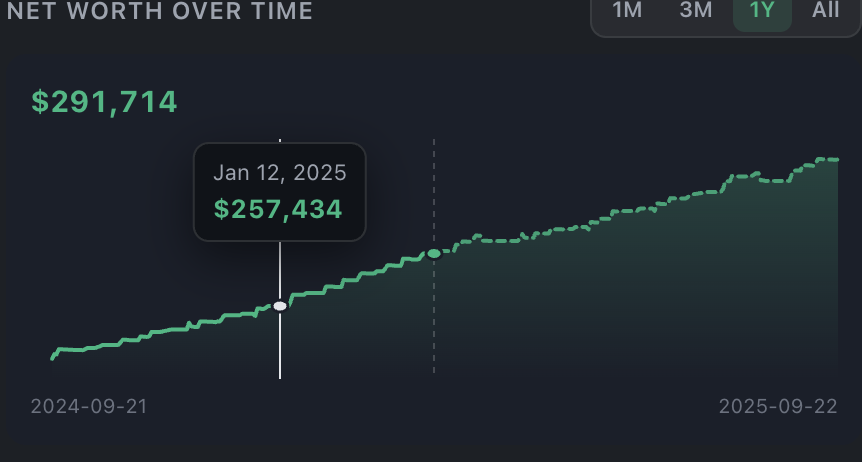
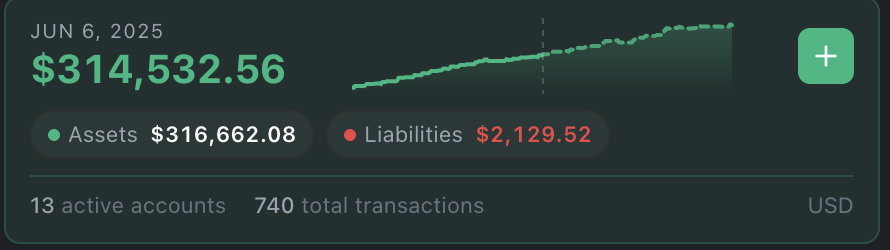
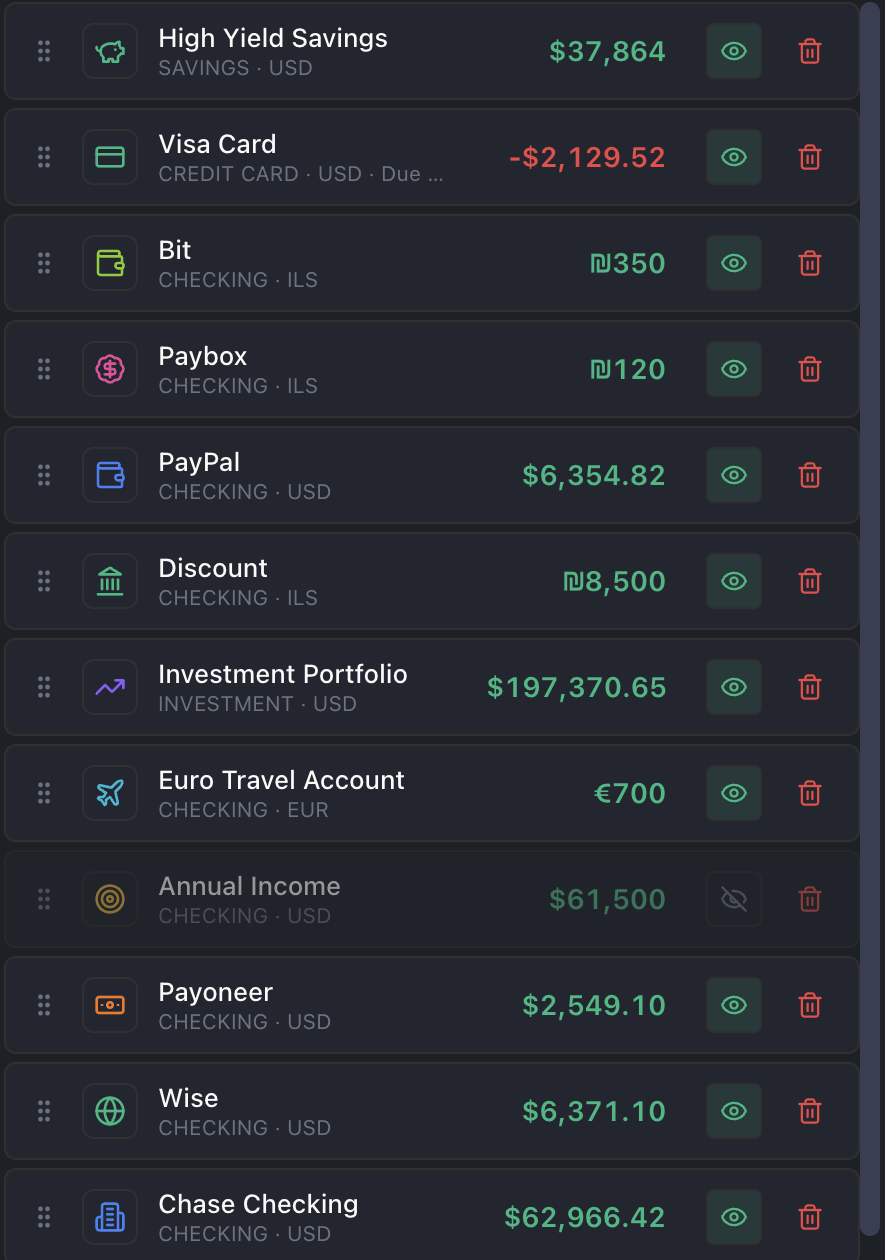
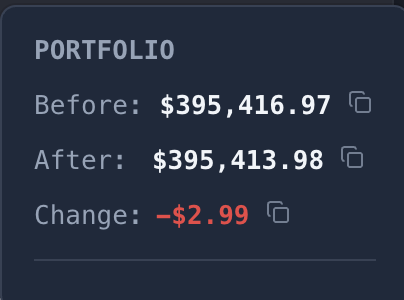
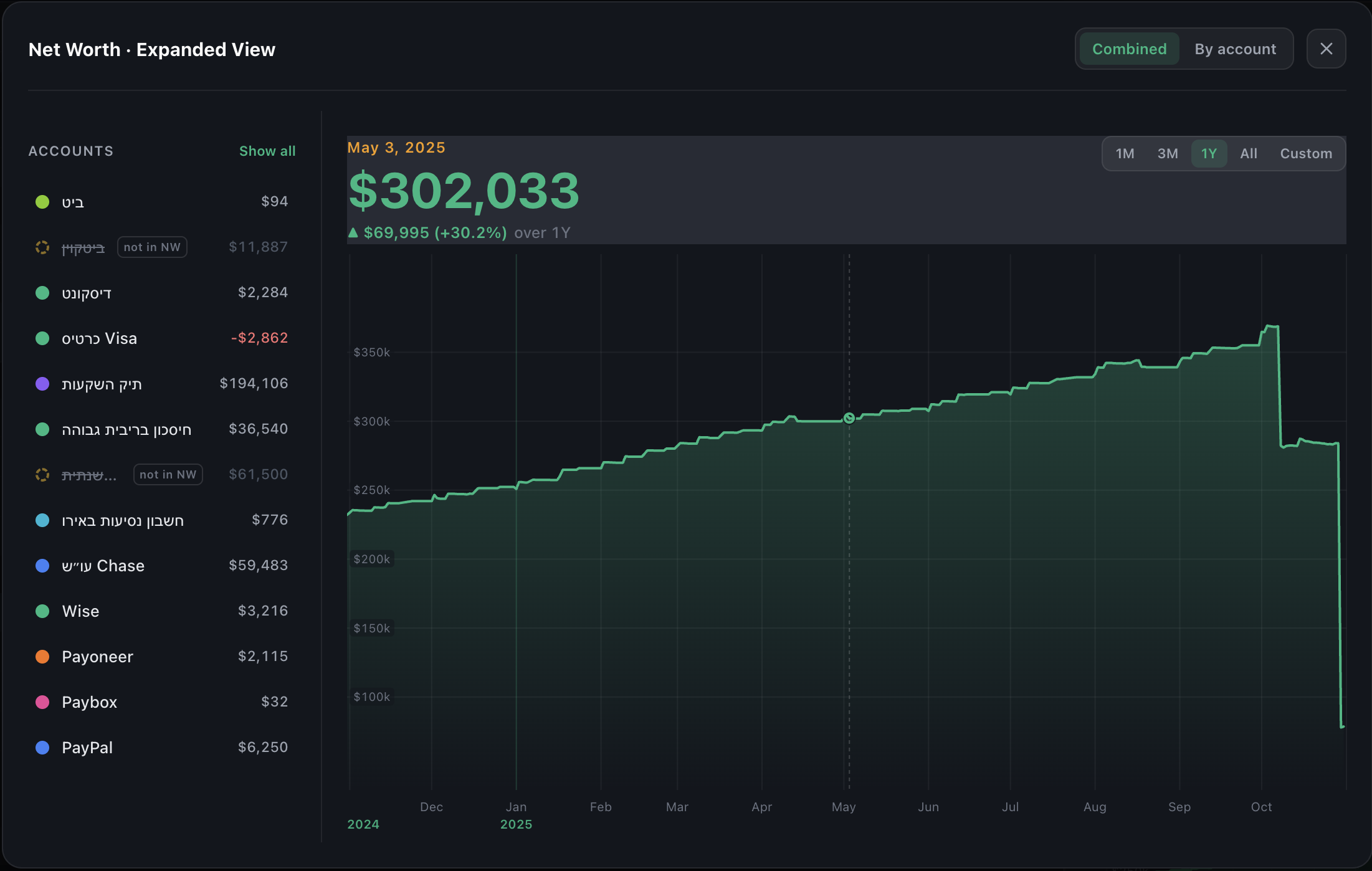
Monthly income, expenses and net worth Expenses by category breakdown Assets breakdown across accounts Net worth over time with projected future Net worth with assets and liabilities Multi-currency accounts list Portfolio before and after a transaction
Try Free in Browser Download for Desktop
No signup to start · Works fully offline · Every currency, incl. crypto · ★★★★★ App Store

Premium · every device

Plan on your desktop. Capture on your phone.

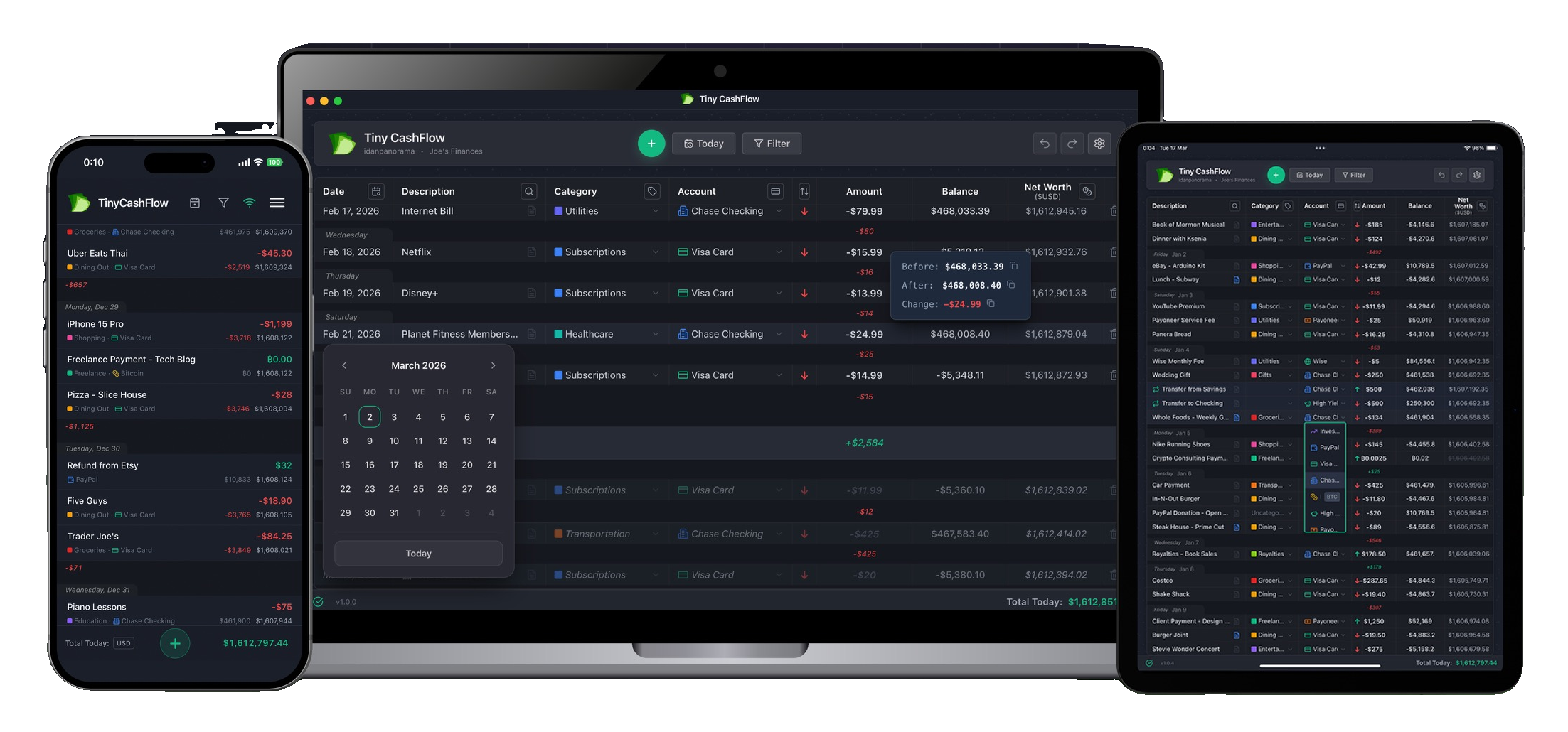
Do the deep work (filtering, forecasting, reporting) on the desktop app. Snap a quick expense on your phone while you're out. It syncs in seconds.

TinyCashflow running on desktop, tablet and phone, all in sync

Synced in seconds

See the balance you'll actually have.

Your recurring income and bills are already projected onto the timeline. Scroll past today and every future day shows the balance you'll land on: next week, next month, next year. No formulas, no guessing.

TinyCashflow timeline with projected balances and the accounts panel
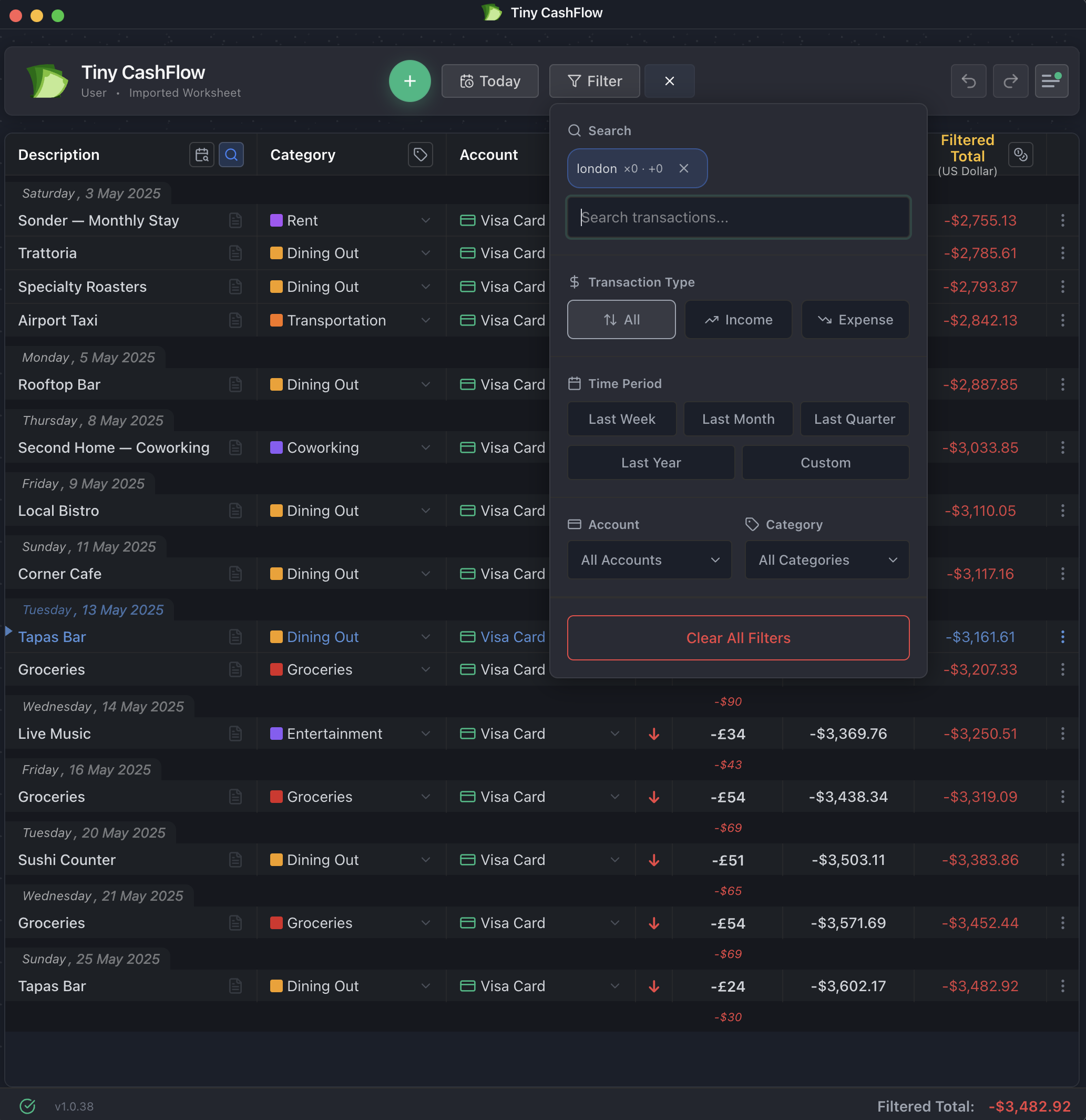
Filtering and searching transactions in TinyCashflow

Ask anything. Get the number in two seconds.

"How much did I spend on coffee this month?" Type it, filter, read the total. No exports, no pivot tables. Just the answer, instantly.

Built to stay simple

Everything you need. Nothing you don't.

The endless timeline

No pages, no months to click through. Your whole financial life, past into future, on one continuous scroll.

Recurring, auto-projected

Set salary, rent, subscriptions once. They populate the future for you, so the forecast is always up to date.

Multi-currency & crypto

Hold accounts in different currencies, view every total in the one you think in. Historical rates preserved.

Private by default

The desktop app runs 100% offline. Local storage. Optional encrypted sync. No ads, no tracking, no data selling.

No bank linking

On purpose. No credentials handed over, no security risk. Manual entry keeps you aware of every dollar.

Import & export, no lock-in

Bring data in from CSV or JSON, and take everything with you anytime. Your data is always yours.

From the person who made it

"I'm a freelancer with income that jumps around. I built TinyCashflow to answer one question, will I be okay next month? without handing my bank login to anyone."

It's just me building this. Every support email reaches the person who wrote the app.

Get started

Download for Mac

For Apple Silicon Macs (M1/M2/M3/M4)

Try instantly — no account needed

Download DMG

macOS 11.0 or later · If blocked: Right-click → Open

Create an account later to unlock sync & mobile companion

Download for Windows

Installer for Windows 10/11

Try instantly — no account needed

Download Installer

Windows 10+ · Run the installer

Create an account later to unlock sync & mobile companion

Mobile Companion App

The mobile app works with your desktop account. Start there first!

Try Desktop or Web App

Already a Premium user?

Download from Play Store

Android 10 or later

Mobile Companion App

The mobile app works with your desktop account. Start there first!

Try Desktop or Web App

Already a Premium user?

Download from App Store

iPhone & iPad · iOS 15+

macOS

Download DMG

Android

Download APK
🌐

Web App

Works on any device · No install needed

Open Web App →

Premium users: All versions sync seamlessly. Your data is encrypted and stays under your control.

Free users enjoy full desktop functionality with local-only data.

Questions

Is it really free?

Free forever:

  • Full desktop app with no signup required
  • Unlimited transactions, accounts, currencies
  • All analytics and reporting features
  • Local data that's yours forever

Premium adds:

  • Cloud sync across devices
  • Mobile companion app for on-the-go transactions
  • Automatic backups
Can I use it offline?

Completely. Desktop app stores everything locally in SQLite. Web/mobile versions cache all data. Sync only when you want.

What's in the footer?

Your total net worth as of today. Always visible. That's the whole point—you should never have to hunt for your current balance.

How does multi-currency work?

Each account has a currency. Each transaction has a currency. You choose what currency to view totals in. Historical exchange rates included.

Does it link to my bank?

No. Intentional. No access to your bank credentials, no security risk, no data mining. Manual entry keeps you aware of every transaction.

Can I import from other apps?

Yes. CSV, JSON, and other formats. Your data is always exportable too—no lock-in.

Do I need both mobile and desktop apps?

Start with the desktop app—it's free and has everything you need. The mobile app is a Premium feature designed as a quick transaction terminal for when you're out. Coffee shop, grocery store, gas station—capture it immediately, and it syncs to your desktop. Desktop gives you the full experience with analytics, filtering, and reporting.

How does sync work?

Sync is a Premium feature. Premium users get automatic sync across all devices—add a transaction on mobile, see it instantly on desktop. Everything works offline too—add transactions without internet, and they'll sync next time you're connected. Your data is encrypted end-to-end. Free users enjoy full functionality with local-only data.

What is the mobile app?

The mobile app is a lightweight transaction terminal for Premium users. Use it to quickly log expenses while you're out—coffee shop, grocery store, gas station. Transactions sync instantly to your desktop app where you get the full experience. Start with the desktop app first, then unlock mobile when you upgrade to Premium.

Do I need to create an account?

Not to get started! Download the desktop app and use it immediately—no signup, no email, no credit card. Your data stays local on your computer.

Create an account when you want to:

  • Sync between devices (Premium)
  • Use the mobile companion app (Premium)
  • Back up your data to the cloud (Premium)
  • Use the web app (account required)
Is my data safe?

Yes! The sync system is stable and battle-tested. Your data is safe—we use a robust sync architecture across desktop, web, and mobile. Everything is backed up across your devices, and you can export anytime.

See your next 12 months in the next 2 minutes.

No signup. No bank linking. Open it and start typing.

Try Free in Browser